 ClipChap
Auto clip detection
Let ClipChap analyze a source video and propose highlight segments automatically. Tune target duration and clip count, then pull ready-to-edit snippets in one pass.
ClipChap helps creators import video sources, auto-detect highlight moments, assemble exports with call-to-action segments, and plan when they go live — all from one native Mac app.
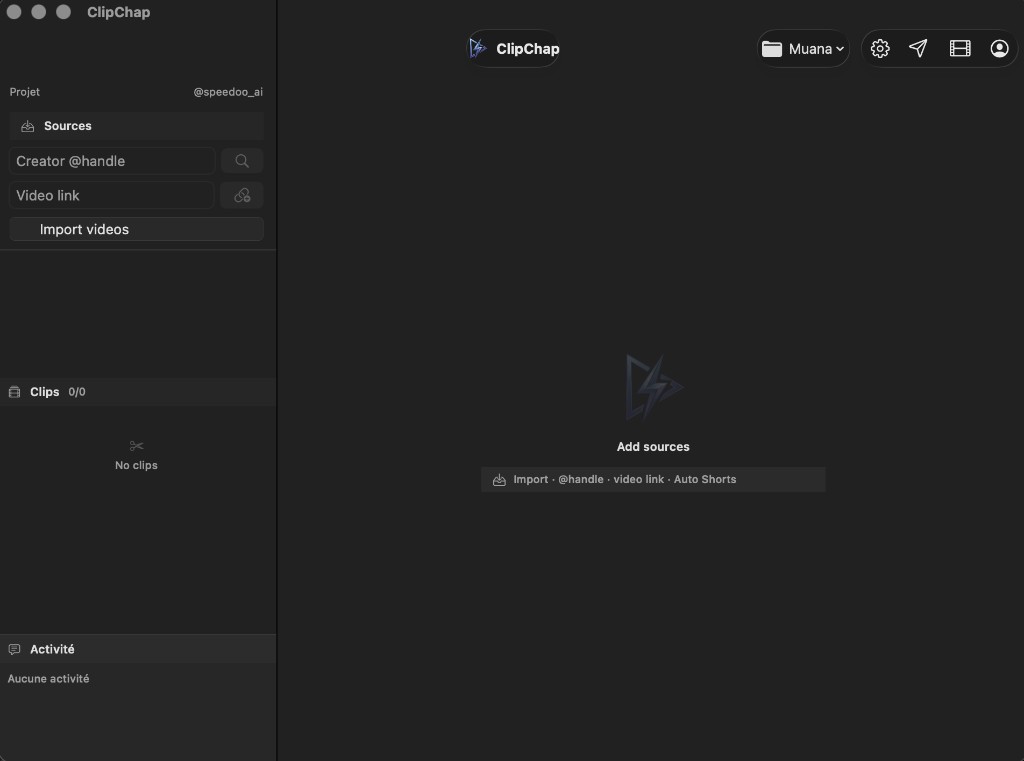
Import, automate, refine, and ship — without leaving your Mac.
Let ClipChap analyze a source video and propose highlight segments automatically. Tune target duration and clip count, then pull ready-to-edit snippets in one pass.
Prefer full control? Mark in and out points on your timeline and build a library of reusable clips from any source.
Combine clips into a single export and attach call-to-action segments from your CTA library — perfect for outros, promos, and branded endings on every video.
Add content via creator handle, direct video link, or local files you already own. Keep every source organized inside your project.
Keep sources, clips, CTA media, and exports grouped by project so your workflow stays tidy as volume grows.
Upload finished videos to the cloud, connect your social accounts, and schedule posts ahead of time.
Four steps. One app. No browser tab juggling.
Import via creator handle, video link, or local files. ClipChap keeps every source inside your project.
Run auto clip detection to surface highlights, or mark cuts yourself. Review proposals before you commit.
Assemble selected clips in the Stitch Workshop and append a CTA segment for a polished, publish-ready export.
Sync your social accounts, pick a time slot, and let the planner handle the rest when you are ready to go live.
The built-in planner keeps your publishing calendar in sync with the videos you export from ClipChap. Upload once, assign platforms, and track what is queued, published, or still in draft.
Whether you batch a week of content or ship daily, ClipChap keeps editing and scheduling in one place — so you spend less time switching tools and more time creating.
Planner features require a ClipChap account and an active subscription where applicable.
ClipChap requires macOS 14 or later. Subscriptions and in-app purchases are managed through Apple.
Auto clip detection analyzes a source video and suggests highlight segments based on your settings (target duration, max clips, and analysis strategies). You review proposals before creating clips.
CTA (call-to-action) segments are short video outros or promos you keep in a library. In the Stitch Workshop, ClipChap appends a selected CTA to your assembled clips so every export ends with a consistent branded message.
ClipChap is designed for video files on your Mac. You are responsible for ensuring you have the rights to edit and publish any content you import.
Local editing works on your device. Cloud sync, the content planner, and subscription features require signing in with a ClipChap account.
ClipChap requires macOS 14.0 (Sonoma) or later.
Paid plans are processed through Apple In-App Purchase and RevenueCat. You can manage or cancel your subscription in System Settings › Apple ID › Subscriptions.
ClipChap is developed by OKTRA. For support, email contact@oktra.dev.
Download ClipChap and go from source video to stitched, CTA-ready exports you can actually ship.
Get ClipChap for Mac